पिछले दिसंबर मेरी छोटी बहन ने ज़िद पकड़ ली कि उसे “बर्फ वाली क्रिसमस फोटो” चाहिए। अब हम रहते हैं भोपाल में, जहां दिसंबर में ठंड तो होती है पर बर्फ का नामोनिशान नहीं। मैंने उसकी लाल स्वेटर वाली एक सादी सी फोटो Gemini में डाली और लिखा कि “चेहरा वैसा ही रखो, सिर पर सांता कैप लगाओ और पीछे बर्फ गिरती दिखाओ”। दो मिनट में जो फोटो आई, वह आज भी उसकी WhatsApp DP है।
दिसंबर आते ही बहुत से लोग Christmas AI photo editing prompts ढूंढने लगते हैं, ताकि अपनी, पार्टनर की या बच्चों की एक प्यारी सी फेस्टिव फोटो बना सकें। इस लेख में आपको क्रिसमस 2026 की तारीख, फोटो बनाने के 5 आसान स्टेप, Prompt लिखने का फॉर्मूला और 20 तैयार Prompts मिलेंगे। हर Prompt के नीचे Copy बटन है, यानी एक क्लिक में कॉपी करें और सीधे AI में पेस्ट कर दें।
क्रिसमस 2026 कब है?
क्रिसमस हर साल 25 दिसंबर को ईसा मसीह के जन्मदिन की खुशी में मनाया जाता है। भारत में यह राजपत्रित छुट्टी है और ज़्यादातर स्कूलों की सर्दी की छुट्टियां भी इसी हफ्ते के आसपास शुरू होती हैं।
| मौका | तारीख और दिन |
|---|---|
| क्रिसमस ईव | 24 दिसंबर 2026, गुरुवार |
| क्रिसमस डे | 25 दिसंबर 2026, शुक्रवार |
| लंबा वीकेंड | 25 से 27 दिसंबर (शुक्रवार से रविवार) |
| न्यू ईयर | 1 जनवरी 2027, शुक्रवार |
इस बार क्रिसमस शुक्रवार को है, तो तीन दिन का वीकेंड मिल रहा है। मेरी सलाह है कि फोटो 20-22 दिसंबर तक बना लें, क्योंकि त्योहार के दिन AI टूल्स पर भीड़ बढ़ जाती है और फ्री लिमिट जल्दी खत्म हो जाती है।
किस AI टूल में बनाएं क्रिसमस फोटो?
Christmas AI photo editing prompts चलाने के लिए किसी पेड ऐप की जरूरत नहीं है। अपनी असली फोटो का चेहरा बचाकर कपड़े, बैकग्राउंड और रोशनी बदलनी हो तो Google Gemini सबसे भरोसेमंद लगा। कार्टून, 3D या वॉटरकलर वाला लुक चाहिए तो ChatGPT भी अच्छा काम करता है। दोनों का फ्री वर्जन काफी है, बस दिन की एक लिमिट होती है। Gemini में फोटो एडिट करने का पूरा तरीका हमारी Google Gemini AI Photo Editing Prompts गाइड में भी है।
क्रिसमस की AI फोटो कैसे बनाएं: 5 आसान स्टेप
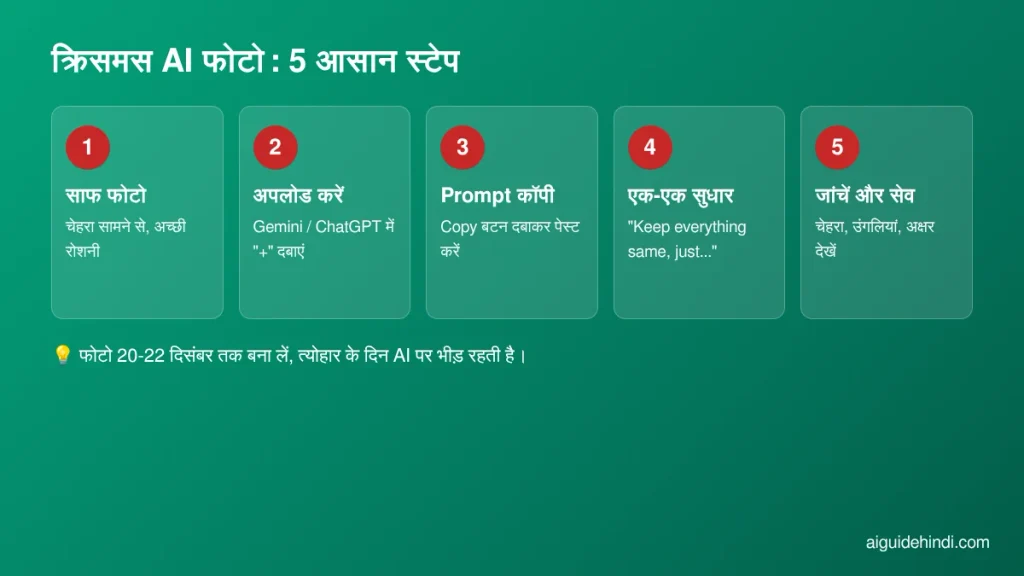
स्टेप 1: साफ फोटो चुनें। चेहरा सामने से दिखे, रोशनी ठीक हो और फोटो धुंधली न हो। ग्रुप फोटो की जगह अकेले की फोटो से शुरुआत करें, नतीजा जल्दी सही आता है।
स्टेप 2: फोटो अपलोड करें। Gemini या ChatGPT ऐप खोलें और “+” बटन दबाकर अपनी फोटो जोड़ें।
स्टेप 3: Prompt कॉपी करें। नीचे दिए Christmas AI photo editing prompts में से कोई एक चुनें, Copy बटन दबाएं और फोटो के साथ पेस्ट कर दें। स्वेटर या स्कार्फ का रंग अपनी पसंद से बदल सकते हैं।
स्टेप 4: एक बार में एक सुधार। अगर सांता कैप टेढ़ी लगे या बैकग्राउंड ज़्यादा भरा-भरा लगे, तो पूरा Prompt दोबारा न लिखें। बस इतना लिखें: “Keep everything same, just make the background simpler”।
स्टेप 5: ध्यान से जांचें। चेहरा, उंगलियां और पीछे लिखे अक्षर देखें। AI कई बार “Merry Christmas” की स्पेलिंग बिगाड़ देता है, इसलिए टेक्स्ट बाद में Canva जैसे ऐप में खुद लिखना बेहतर है।
क्रिसमस Prompt लिखने का आसान फॉर्मूला
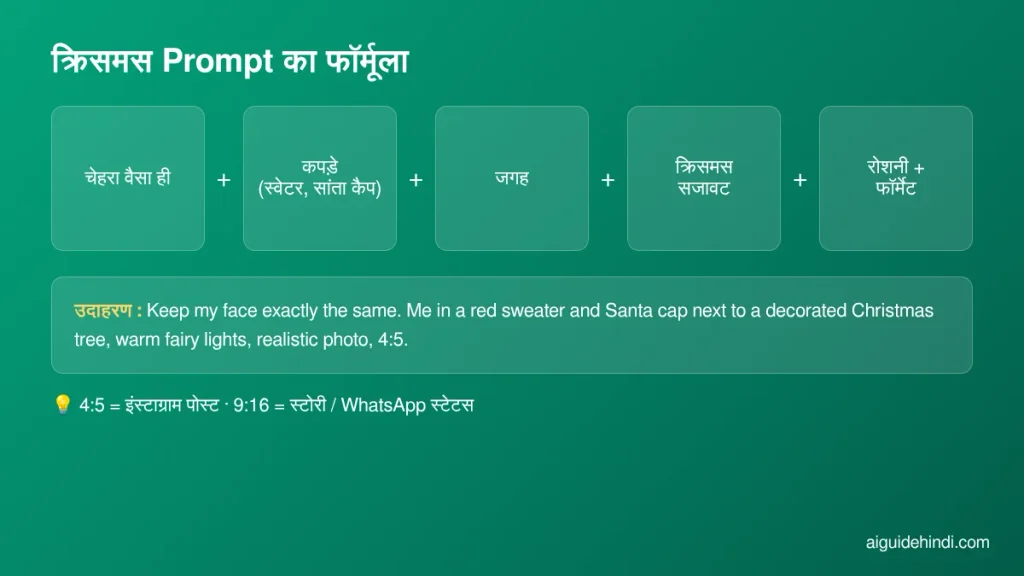
कई बार आज़माने के बाद मुझे यह क्रम सबसे अच्छा लगा:
चेहरा वैसा ही रखें + कपड़े (स्वेटर, सांता कैप) + जगह + क्रिसमस सजावट + रोशनी और फॉर्मेट
पहला हिस्सा सबसे जरूरी है। “Keep my face exactly the same” न लिखें तो AI अक्सर आपको किसी और जैसा बना देता है। आखिर में 4:5 (इंस्टाग्राम पोस्ट) या 9:16 (स्टोरी, स्टेटस) लिखने से फोटो सही साइज़ में आती है। Prompt लिखना गहराई से सीखना हो तो AI Prompt कैसे लिखें पढ़ें।
20 Christmas AI Photo Editing Prompts: Copy करें और चलाएं
हर Prompt के नीचे Copy बटन है। फोटो वाले Prompts चलाने से पहले अपनी फोटो अपलोड करना न भूलें। ये सभी Christmas AI photo editing prompts Gemini और ChatGPT दोनों में काम करते हैं। Prompts अंग्रेजी में इसलिए हैं क्योंकि AI इन्हें ज़्यादा सटीक समझता है।
अकेले की फोटो वाले Prompts
Keep my face exactly the same. Show me wearing a red knitted sweater and a Santa cap, standing next to a tall decorated Christmas tree with warm fairy lights, gifts at my feet, soft golden bokeh in the background, realistic photo, 4:5.
Keep my face and hairstyle exactly the same. Place me on a snowy street in the evening, wearing a long winter coat and a woollen scarf, light snowfall, glowing shop windows with Christmas decorations behind me, cinematic realistic look, 9:16.
Keep my face exactly the same. Show me sitting by a cozy fireplace holding a mug of hot chocolate, wearing a cream sweater, Christmas stockings hanging on the mantel, warm orange light, relaxed smile, realistic photo, 4:5.
Keep my face exactly the same. Turn this into a festive portrait: me wearing a green velvet outfit, holding a small wrapped gift box with a red ribbon, plain deep red background with soft fairy-light bokeh, studio lighting, sharp details, 4:5.
Keep my face exactly the same. Convert my photo into a soft 3D Pixar-style character wearing a Santa cap and a striped scarf, standing in a snowy village with small lit houses, cute and colourful, no text, 1:1.
कपल फोटो वाले Prompts
Keep both our faces exactly the same. Show us in matching red and white Christmas sweaters, standing close under a string of warm fairy lights, a decorated tree behind us, both smiling naturally, realistic photo, 4:5.
Keep both our faces exactly the same. Place us walking hand in hand on a snowy lane at night, wearing winter coats and woollen caps, light snowfall, street lamps with Christmas wreaths, shot from behind at a slight angle, cinematic look, 9:16.
Keep both our faces exactly the same. Show us decorating a Christmas tree together in a cozy living room, one person placing a golden star on top, ornaments in hand, warm indoor light, candid happy moment, realistic photo, 4:5.
Keep both our faces exactly the same. Turn this into a soft watercolour illustration of us sharing hot chocolate by a window, snow falling outside, Christmas lights on the window frame, gentle pastel colours, no text, 4:5.
बच्चों की फोटो वाले Prompts
Keep the child’s face exactly the same. Dress the child in a cute little Santa outfit with a white fluffy cap, sitting next to a pile of colourful gift boxes, Christmas tree with lights behind, bright cheerful lighting, realistic photo, 4:5.
Keep the child’s face exactly the same. Show the child in a reindeer-ear headband and a green sweater, building a small snowman in a snowy garden, rosy cheeks, soft winter daylight, joyful expression, realistic photo, 4:5.
Keep the child’s face exactly the same. Turn the child into a cute cartoon elf character with pointy shoes and a striped hat, standing in a toy workshop full of wooden toys and Christmas lights, bright colours, storybook style, no text, 1:1.
Keep the child’s face exactly the same. Show the child sleeping peacefully on a sofa under a red blanket, a Christmas stocking hanging nearby, soft night light from the tree, calm and warm mood, realistic photo, 4:5.
परिवार और दोस्तों वाले Prompts
Keep every person’s face exactly the same. Show our whole family in matching Christmas sweaters sitting around a dining table with plum cake, cookies and candles, a decorated tree in the corner, warm golden light, everyone smiling, realistic photo, 16:9.
Keep every person’s face exactly the same. Place our group of friends at a Christmas party with paper stars and fairy lights on the wall, everyone wearing Santa caps, holding sparkling juice glasses, fun candid moment, realistic photo, 4:5.
Keep every person’s face exactly the same. Show our family standing outside a beautifully lit old church on Christmas evening, dressed in warm winter clothes, respectful pose, star lanterns hanging around, soft evening light, realistic photo, 4:5.
बिना फोटो वाले ग्रीटिंग और स्टेटस Prompts
A cozy Christmas greeting card background: decorated tree with warm lights, wrapped gifts and a red armchair, soft snowfall outside the window, lots of empty space at the top for text, no text, 4:5.
Minimal WhatsApp status image: a single glowing star lantern hanging against a dark blue night sky with gentle snowflakes, soft glow, plenty of empty space for text, no text, 9:16.
Top view flat lay on a wooden table: plum cake, cinnamon sticks, pine branches, red baubles, a cup of coffee and a small handwritten card, warm natural light, Instagram aesthetic, no text on the card, 4:5.
Cute 3D illustration of Santa Claus on a scooter riding through an Indian street decorated with star lanterns and fairy lights, gift bag on the back, cheerful night scene, bright colours, no text, 16:9.
फोटो को छोटे वीडियो में बदलना हो, जैसे गिरती बर्फ या टिमटिमाती लाइट्स, तो AI Generate Video गाइड देखें। बिना अपनी फोटो के पूरी नई तस्वीर बनानी हो तो AI Image Generator कैसे इस्तेमाल करें काम आएगा।
Christmas AI Photo Editing Prompts चलाते समय ये गलतियां न करें
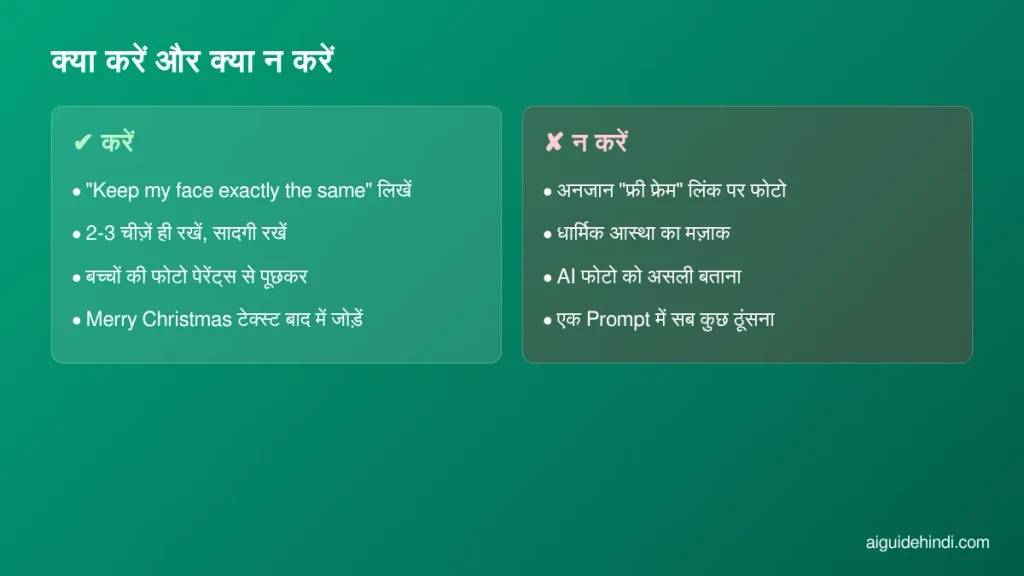
- चेहरा बचाने वाली लाइन भूलना: हर Prompt की शुरुआत “Keep my face exactly the same” से करें, वरना फोटो आपकी नहीं लगेगी।
- एक Prompt में सब कुछ ठूंसना: बर्फ, आतिशबाज़ी, सांता, हिरन और पांच रंग एक साथ लिखेंगे तो फोटो भरी-भरी और नकली लगेगी। दो-तीन चीज़ें काफी हैं।
- AI से टेक्स्ट लिखवाना: “Merry Christmas” या नाम AI से लिखवाने पर अक्सर स्पेलिंग गलत आती है। टेक्स्ट बाद में खुद जोड़ें।
- धार्मिक भावनाओं का ध्यान न रखना: चर्च के अंदर की फोटो या ईसा मसीह से जुड़ी तस्वीरों के साथ मज़ाक वाले एडिट न करें। त्योहार की खुशी शेयर करें, किसी की आस्था का मज़ाक नहीं।
प्राइवेसी और सुरक्षा की बातें
Christmas AI photo editing prompts से दूसरों की फोटो, खासकर बच्चों की, एडिट करके पोस्ट करने से पहले उनसे या उनके माता-पिता से पूछ लें। “फ्री क्रिसमस फोटो फ्रेम” के नाम पर WhatsApp पर आने वाले अनजान लिंक में अपनी फोटो अपलोड न करें, ऐसे कई ऐप आपका डेटा बेच देते हैं। AI से बनी फोटो को असली बताकर किसी को गुमराह करना भी ठीक नहीं है। इससे जुड़े नियम हमारी AI Deepfake नियम 2026 पोस्ट में विस्तार से हैं।
पिछले त्योहारों के लिए भी हमने ऐसे ही Prompts लिखे हैं, जैसे Diwali AI Photo Editing Prompts और Wedding AI Photo Editing Prompts, जो दिसंबर की शादियों के लिए भी काम आएंगे।
Q1. क्या ये Christmas AI photo editing prompts फ्री हैं?
हां, इस लेख के सभी 20 Prompts फ्री हैं और हर Prompt के नीचे Copy बटन है। Gemini और ChatGPT के फ्री अकाउंट से भी फोटो बन जाती है, बस रोज़ की एक लिमिट होती है।
Q2. क्रिसमस 2026 कब है?
क्रिसमस 25 दिसंबर 2026, शुक्रवार को है। क्रिसमस ईव 24 दिसंबर, गुरुवार को है। शुक्रवार होने से 25 से 27 दिसंबर तक लंबा वीकेंड मिलेगा।
Q3. AI फोटो में मेरा चेहरा बदल जाता है, क्या करूं?
Prompt की शुरुआत “Keep my face exactly the same” से करें और साफ, सामने से ली गई फोटो इस्तेमाल करें। फिर भी चेहरा बदले तो लिखें “Use my original face from the uploaded photo, change only the background”।
Q4. फोटो पर Merry Christmas कैसे लिखें?
AI अक्सर अंग्रेज़ी अक्षरों की स्पेलिंग बिगाड़ देता है। इसलिए इमेज बिना टेक्स्ट के बनवाएं और बाद में Canva या किसी फोटो एडिटर ऐप में अपनी पसंद के फॉन्ट से बधाई लिखें।
निष्कर्ष
क्रिसमस का असली मज़ा साथ बैठकर केक काटने, तोहफे बांटने और छोटी-छोटी खुशियों में है। AI फोटो उस खुशी को थोड़ा और यादगार बना देती है, बस चेहरा असली रहे और फोटो सादगी भरी हो। ये Christmas AI photo editing prompts इसी सोच से लिखे गए हैं। 20 दिसंबर से पहले दो-तीन Prompts आज़माकर अपनी फोटो तैयार कर लें और कमेंट में बताएं कि कौन सा Prompt आपको सबसे अच्छा लगा। आपको और आपके परिवार को Merry Christmas और आने वाले नए साल की ढेरों शुभकामनाएं!
